Free Convert MP4 to GIFs Animation Online
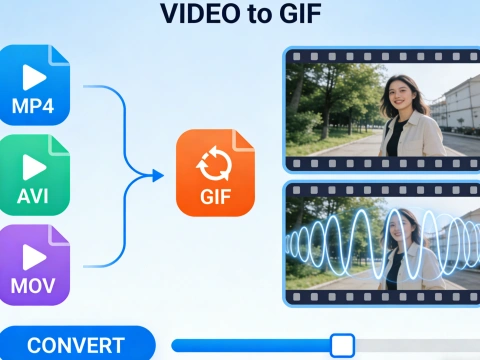
AdpexAI’s video to GIF converter transforms video clips into smooth, high-resolution animated GIFs optimized for sharing and visual storytelling. Supporting MP4, MOV, and multiple video formats, our engine ensures precise frame selection, fluid motion, and consistent quality—ideal for social media, presentations, and digital content creation.
What You Can Do with Video to GIF Converter?
Create Shareable GIFs from MP4 Videos
With AdpexAI’s video to GIF converter, you can turn any video clip into a GIF effortlessly. Perfect for social media, presentations, or messaging, this tool lets you make a GIF from video or convert mp4 to animated GIF while retaining key moments from your content.
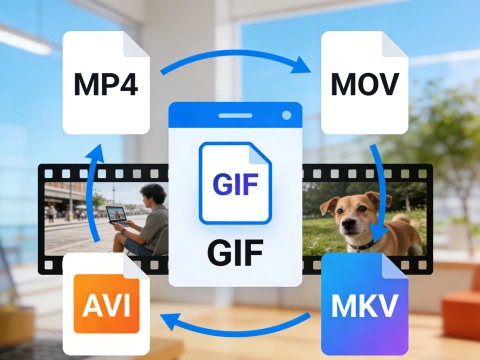
Support for Multiple Video Formats
Our GIF generator from video supports MP4, MOV, AVI, and MKV files. Whether you need to convert MOV to GIF, turn mp4 into GIF, or convert a video to animated GIF, the tool ensures smooth conversion without losing quality, making it ideal for professional and personal use.
High-Quality Animated GIFs Maker
Maintain visual fidelity with the high-quality GIF maker feature. You can convert mp4 to GIF high quality or create animated GIF from video without pixelation, making your GIFs suitable for marketing, tutorials, or engaging social content.
Free Online Video to GIF Conversion
No downloads or installations required. The video to GIF online converter lets you convert video to GIF free directly in your browser. Easily turn video into animated GIF or mp4 to GIF online and share instantly, streamlining content creation workflows.
Why Do You Need AdpexAI’s Video to GIF Converter?
Powerful and Precise Video to GIF Conversion
AdpexAI’s video to GIF converter uses advanced technology to convert mp4 to animated GIF or turn MOV into GIF with pixel-perfect accuracy. Unlike basic GIF converters, it preserves smooth motion, color quality, and timing, making it ideal for marketers, educators, and content creators who need high-quality GIFs from video clips quickly.
Simple, Fast, and User-Friendly Interface
You can make a GIF from video or convert video to animated GIF in just a few clicks. The tool is designed for all skill levels, supporting mp4 to GIF online, AVI to GIF, and mkv to GIF without software installation. Its intuitive workflow reduces time and effort compared to competitors, ensuring you can turn video into GIF or create GIF from mp4 instantly.
Secure, Flexible, and Multi-Format Support
AdpexAI ensures your videos remain private while providing versatile output options. You can convert mp4 to GIF high quality, change video to GIF, or make video as GIF for social media, presentations, or messaging. With support for multiple formats like MOV, MP4, and AVI, it outperforms most free or online GIF generators from video by combining convenience, security, and flexibility.
How to Use AdpexAI’s Video to GIF Converter?
Click “Upload Video” and select your file from MP4, MOV, AVI, or MKV formats. Whether you want to convert mp4 to GIF, turn MOV into GIF, or create GIF from mp4, the tool accepts all common video clips.
Adjust the start/end time, frame rate, and resolution to make a GIF from video exactly how you need it. You can also select options for video to animated GIF or video to GIF high quality output for social media, presentations, or messaging.
Click “Convert to GIF” to instantly turn video into GIF. Once ready, download your animated GIF to use online, embed in documents, or share via email. You can also use it as a GIF generator from video for multiple projects.
FAQs for Video to GIF Converter


 Your One-Stop GenerationAI Agent / Tools Hub
We help you find, manage,
and grow with the ones who move people.
 Start Creating
