
AdpexAI vs NoteGPT: Format Conversion Features 1v1 Review
Why Format Conversion Matters More Than Ever
As someone who works with documents, images, and videos on a daily basis, format conversion has quietly become one of my most frequent needs. Whether I need to convert PDF format to JPG for visual assets, convert JPG format to PDF for documentation, or prepare files for sharing and reuse, I just want tools that work—quickly and reliably.
That’s why I’ve gradually moved away from traditional desktop software and started relying on online AI-powered converters. A good format converter today should be flexible, accurate, and capable of handling multiple file types. Recently, I tested two tools with different strengths in this area: AdpexAI and NoteGPT. In this 1v1 review, I’ll compare how they perform across real-world format conversion scenarios.
Feature Overview: What Each Tool Can Convert
Before judging performance, it’s important to understand what each platform actually offers.
AdpexAI Format Conversion Features
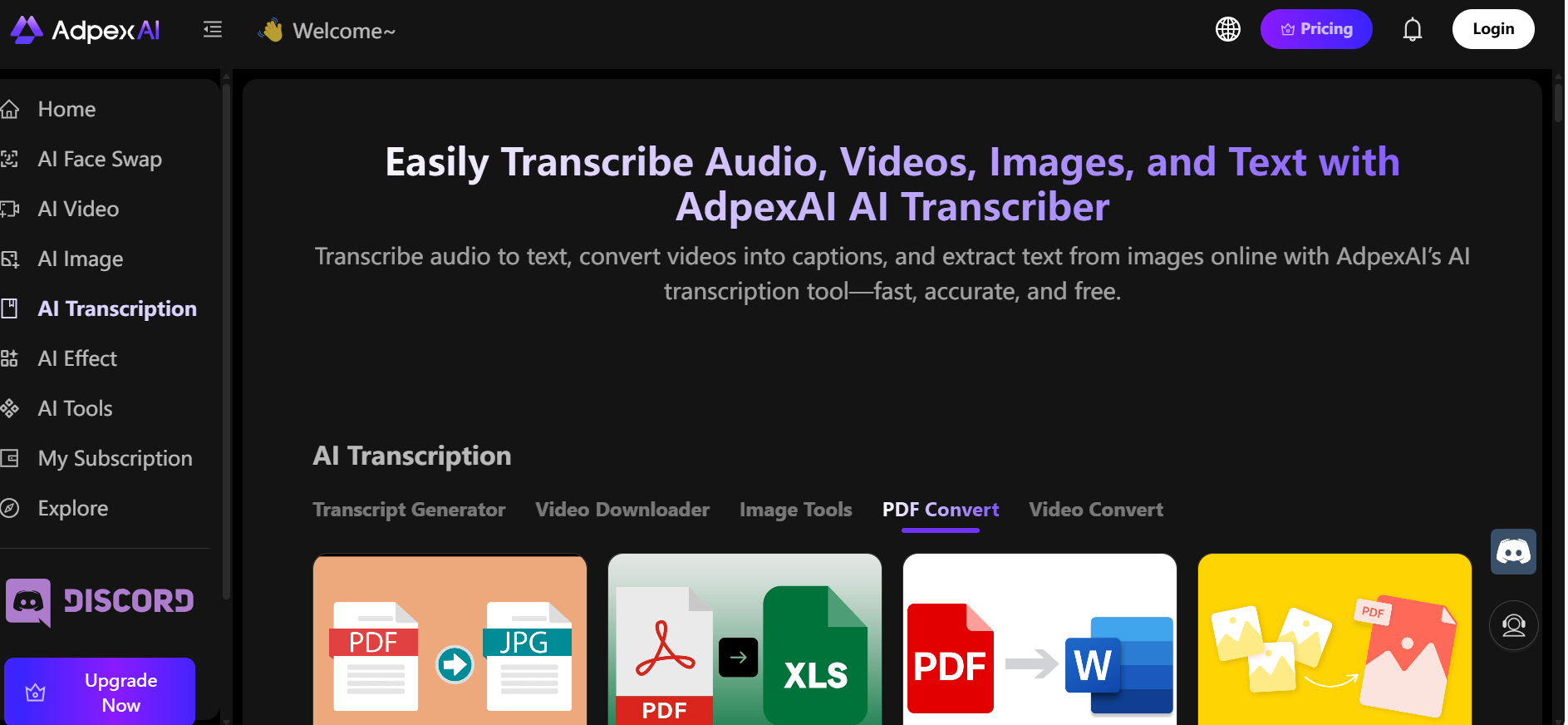
AdpexAI focuses on file-to-file format conversion, covering both documents and video, and is split into two main categories.
1️⃣ PDF & Image Conversion
- PDF to Image (ideal when you need to convert PDF format to JPG)
- PDF to Excel (a reliable pdf to excel format converter)
- PDF to Word (useful if you want to convert pdf to word format free)
- Image to PDF (works as a flexible converter to pdf format)
- Image to Excel
- Image to Word
These tools handle common workflows such as document editing, data extraction, and layout reuse, including scenarios like convert pdf format across multiple document types.
2️⃣ Video Conversion
- Video Compression
- Video to Audio
- Video to GIF
This makes AdpexAI not just a document tool, but also a practical video format converter and video file format converter for everyday content tasks.
NoteGPT Format Conversion Features
NoteGPT approaches format conversion from a content understanding and transformation perspective. Its features also fall into two main categories.
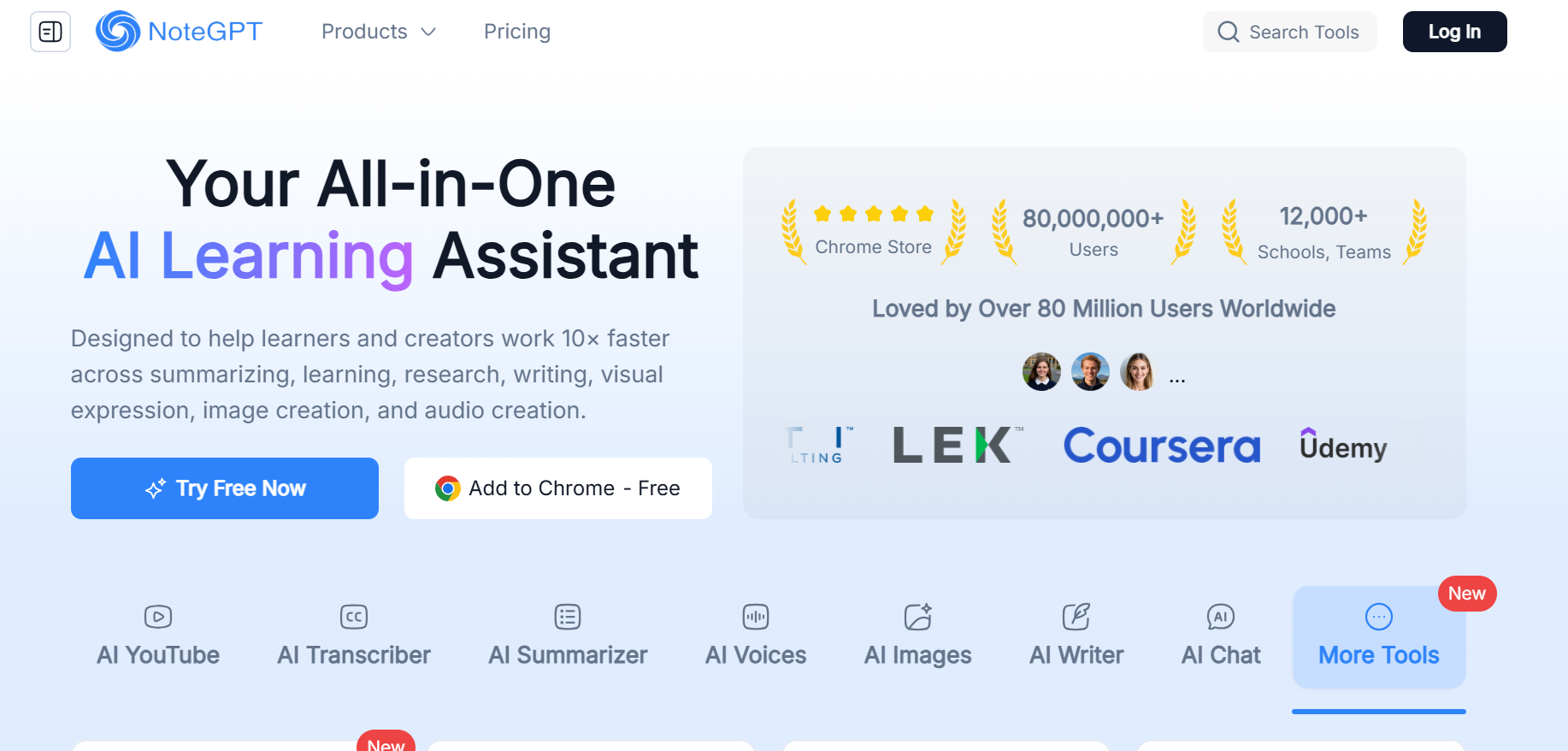
Media to Text Conversion
- Video to Text
- Audio to Text
- Speech to Text
These tools are especially useful for extracting information, summaries, or notes from spoken content.
PDF Conversion
NoteGPT also supports a solid range of PDF-related conversions, including:
- PDF to Markdown
- PDF to Excel
- PDF to Image
- Excel to PDF
- Word to PDF
- Image to PDF
This allows users to convert pdf format into editable or reusable document types, including workflows similar to a word to pdf format converter or basic document restructuring.
1️⃣ Interface Simplicity
When I’m converting files, I don’t want to think—I just want results.
- AdpexAI
The interface is clean and tool-based. Each conversion type—whether it’s PDF, image, or video—has its own clear entry point. This makes switching between document tasks and video conversion very straightforward. - NoteGPT
NoteGPT’s interface is minimal and text-oriented. It works well for transcription and PDF processing, but when handling many different formats, the navigation feels less task-driven.
Verdict:
- Clear, conversion-first workflow → AdpexAI
- Text- and content-focused workflow → NoteGPT
2️⃣ Output Quality
Conversion accuracy is where a tool really proves its value.
- AdpexAI
In my tests, AdpexAI preserved document structure well, especially when converting PDFs to Word or Excel. This is important for workflows like convert pdf to word format free or spreadsheet reuse, where layout consistency matters. - NoteGPT
NoteGPT performs well when converting PDFs into Markdown or Excel and excels at text clarity. However, visual layout preservation is less consistent compared to AdpexAI.
Verdict:
- Better visual and structural consistency → AdpexAI
- Better semantic and text-focused output → NoteGPT
3️⃣ Processing Speed
Speed matters, especially when working with large files or frequent conversions.
- AdpexAI delivers consistently fast performance across document conversions and video tasks. Whether used as a free video format converter or for PDF processing, results are quick and predictable.
- NoteGPT is fast for PDF and text-based conversions, though longer videos and transcription tasks naturally take more time.
For users who need a balanced video format converter and document tool, AdpexAI feels more efficient overall.
4️⃣ Value for Money
When it comes to pricing, the difference between AdpexAI and NoteGPT becomes very clear—especially if you’re looking for an affordable video format converter alongside document conversion tools.
AdpexAI starts at just $4.99 per month, making it a budget-friendly option for users who regularly convert files or need a reliable video format converter for compression, audio extraction, or GIF creation. In comparison, NoteGPT’s entry-level plan starts at $9 per month, nearly doubling the minimum cost.
What really sets AdpexAI apart is its flexible purchasing model. Beyond monthly subscriptions, AdpexAI allows users to buy credits only, which is ideal if your usage is occasional or project-based—such as converting a batch of PDFs or processing videos without committing to a recurring plan. NoteGPT does not offer a credit-based option, meaning users must subscribe even if their conversion needs are limited.
Overall, AdpexAI delivers better value and flexibility, especially for users who want both document conversion and a cost-effective video format converter in one tool, while NoteGPT’s pricing model is better suited to long-term, text-focused workflows.
AdpexAI vs NoteGPT: Format Conversion Comparison Table
| Feature / Criteria | AdpexAI | NoteGPT |
| Tool Type | All-in-one format converter (documents + video) | Text-centric conversion & extraction |
| Video to GIF | Yes | No |
| Interface Simplicity | Clean, tool-based menus | Minimal, text-oriented UI |
| Output Quality | Strong document structure preservation | Excellent text accuracy |
| Processing Speed | Fast for docs & videos | Fast for text extraction |
| Best Use Case | Multi-format conversions (docs + media) | Media → text / transcription |
Quick Takeaways
- AdpexAI is stronger when you need a multi-purpose format converter, especially if you often have to convert PDF format to JPG, convert pdf to word format free, or handle video file format conversions.
- NoteGPT stands out if your main goal is converting speech, audio, or video content into text (transcription), rather than full file-to-file format moves.
Final Verdict: Which Format Converter Should You Choose?
If your workflow involves documents, images, and videos—and you often need tools like a pdf to excel format converter, a video file format converter, or a fast way to convert JPG format to PDF—AdpexAI is the more versatile option.
If your priority is converting PDFs into structured text (Markdown, Excel) or extracting knowledge from audio and video content, NoteGPT is a better fit.Both tools serve different needs, but for all-around format conversion, AdpexAI offers broader flexibility, while NoteGPT shines in content-centric workflows.
About the author



 Your One-Stop GenerationAI Agent / Tools Hub
We help you find, manage,
and grow with the ones who move people.
 Start Creating
