

Stop Using CapCut: The Smarter Way to Remove Captions

Subtitles and captions play an important role in making videos watchable, but they can also be distracting: hard-coded subtitles can block out important parts of the frame, while automatic subtitles can distract viewers from the story. If you’re repurposing video content or editing clips for professional use, knowing how to remove captions from video can make all the difference.
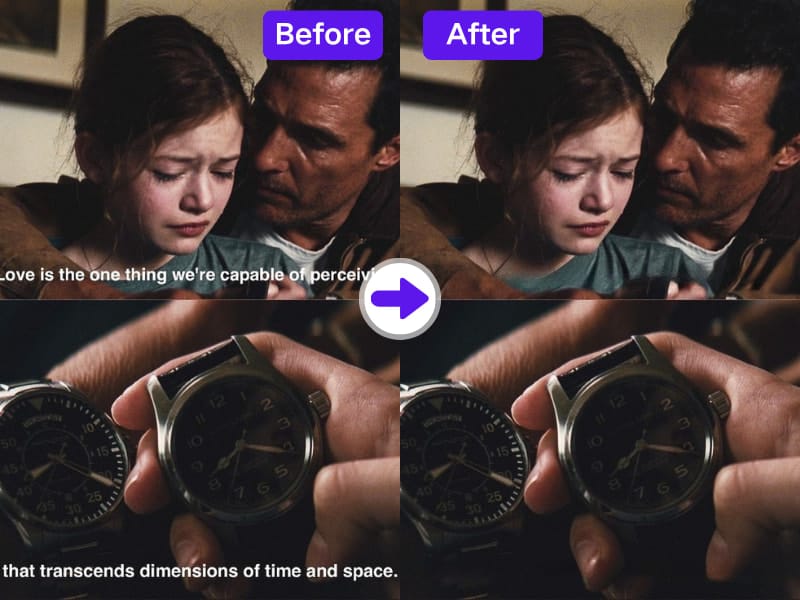
If you have attempted to remove captions from video in CapCut previously, then you are aware of how annoying it is. Yes, CapCut is an awesome TikTok or short video editor, but when it comes to cutting out hard-coded subtitles cleanly and professionally, it just won't do. You must blur, crop, or mask text—at the expense of video quality.
It’s time to upgrade. This article explains why CapCut is no longer sufficient and how modern AI solutions, such as AdpexAI, enable the removal of captions from videos more efficiently, accurately, and cleanly than ever before. Whether you’re a content creator, marketer, or editor, you’ll learn how to remove captions effectively and choose the best caption remover video tool for your needs.
Why You Should Stop Using CapCut to Remove Captions
CapCut is great for simple edits—adding text, transitions, or effects—but it was never designed to be a video caption remover. When you try to delete hardcoded subtitles with CapCut, you often end up with blurred edges or distorted frames.
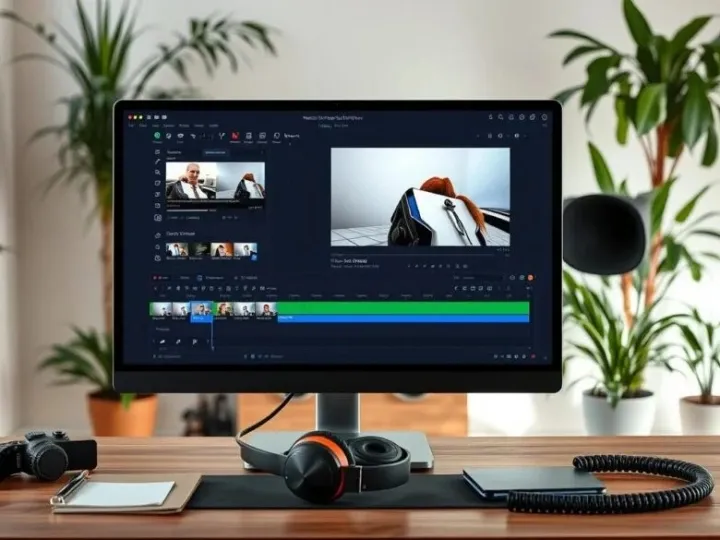
Users frequently ask: “How can I remove captions from a video without losing quality?” Short answer: not with CapCut. While it does offer some primitive masking features, it lacks the kind of accuracy that today's AI-powered caption removers now offer.
If you've been relying on CapCut to remove subtitles, you're throwing away valuable time fixing subpar edits. What you really need is a program specifically intended to delete captions from video—one that's aware of text placement, background texture, and motion frames by default.
Pixel-based methods used by older editors like CapCut or iMovie strip captions away from video—typically by blurring them or burying them behind an opaque color block.
This approach hides the text but ruins the professional look of your footage.
Worse still, if you try to crop out the captions entirely, you’ll lose part of your visuals. That might be acceptable for quick social posts, but not for brand videos, ads, or client work.
In short, CapCut helps you hide captions—but it doesn’t truly remove captions. This is where AI-driven caption remover tools are changing the game.
Understanding Captions: Closed vs. Hard-Coded
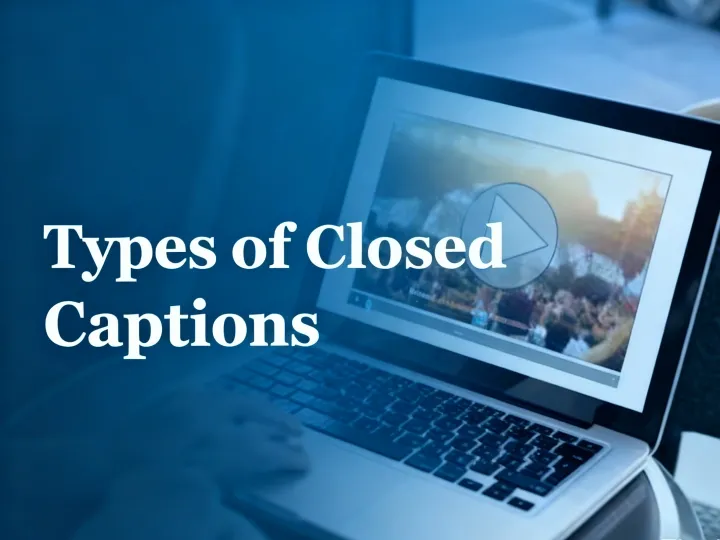
Before you rush into choosing a new tool, it’s essential to understand what kind of captions you’re dealing with.
Closed captions (CC) are separate subtitle tracks that you can toggle on or off. You can easily delete captions from video files by removing the subtitle track using software like HandBrake or MKVToolNix.
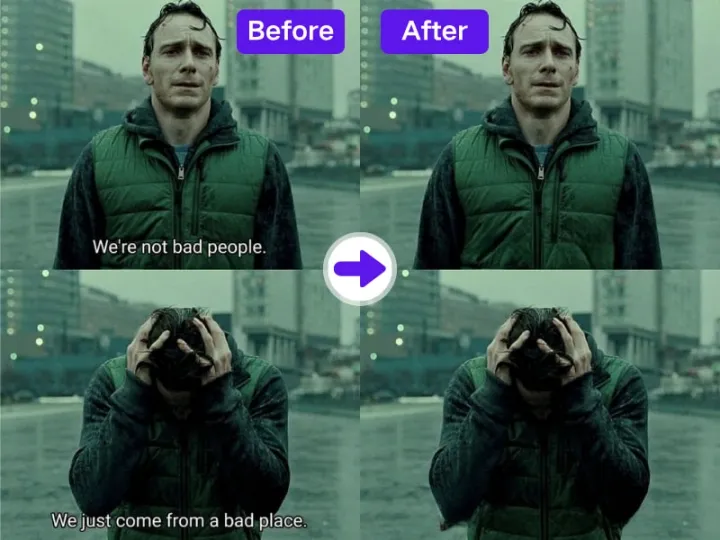
Hard-coded captions are burned directly into the video image. These require specialized caption video remover tools to erase without affecting the background.CapCut can’t distinguish between these formats automatically—but AI-based editors like AdpexAI can. They analyze your footage frame by frame, recognize subtitle text, and intelligently remove captions from video without leaving traces.
Smarter Alternatives: AI Caption Remover Tools
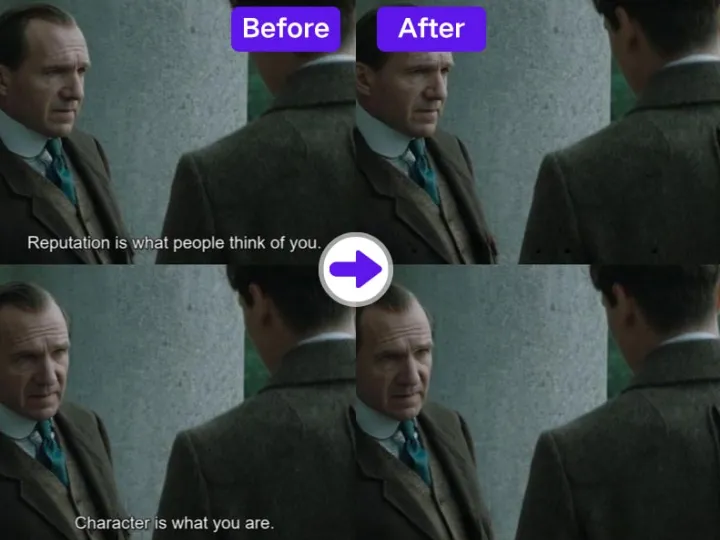
If you’re serious about quality, it’s time to switch from manual editing to automated AI solutions. Here are some smarter alternatives to CapCut:
AdpexAI – The leader in intelligent caption removal. It uses deep learning to detect and cleanly erase burned-in text while preserving every pixel of the background.
Runway ML – A creative suite that offers inpainting tools for text and object removal.Veed.io and Descript – Popular browser-based tools that provide basic caption cleaner features but often with watermark limitations.
Among these, AdpexAI stands out for speed, precision, and its ability to process full-length videos online. You simply upload your file, let the AI analyze the frames, and download the clean result—no blurring, no cropping, no compromise.
AdpexAI: The Smarter Way to Remove Captions from Video
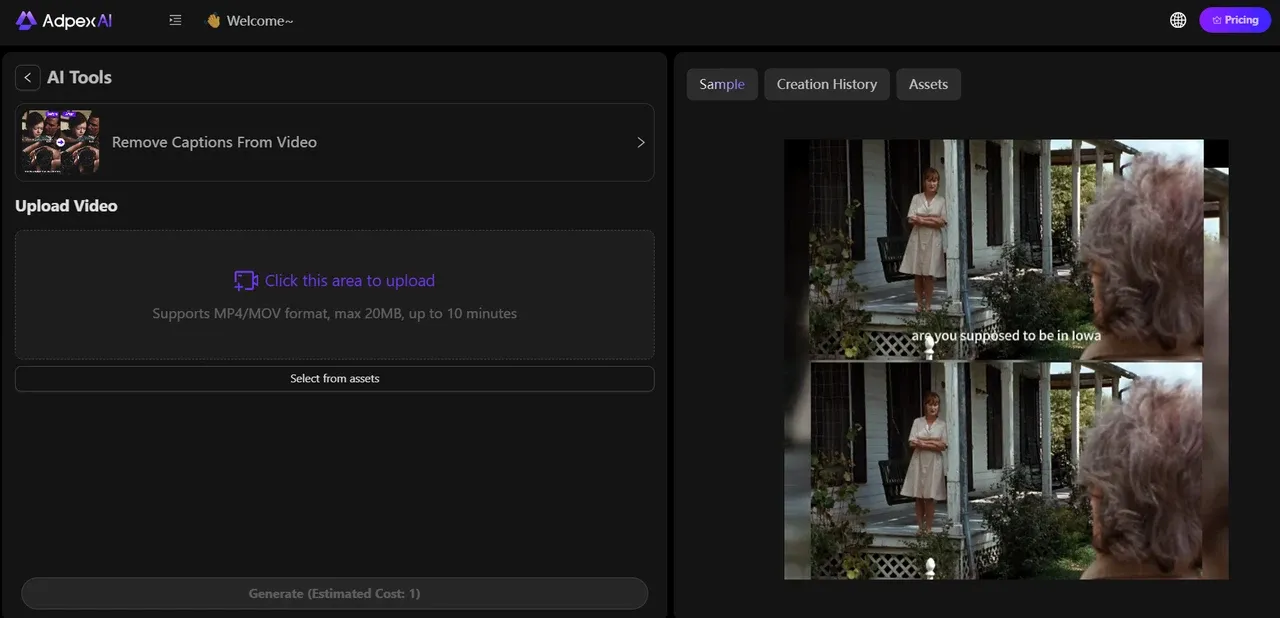
One of the most efficient solutions in this space is AdpexAI’s video caption remover. Unlike basic tools that blur or crop text, AdpexAI leverages advanced AI to identify subtitle structure, alignment, and font details. This ensures the captions are erased precisely, while preserving the cinematic quality of the footage.
Key advantages include:
- AI-powered accuracy: Instead of generic masking, AdpexAI intelligently understands text placement and removes it seamlessly.
- Zero quality loss: Best suited for content creators who need to remove video captions without losing original images.
- Versatility: Whether it is corporate training videos or social media videos, it covers all the popular media.
- Reuse of content: Suitable for translators, brands, or agencies who need to revisit content for global audiences.
Whether you’re a YouTuber asking “how can I remove captions from a video?” or a business repurposing footage for multilingual campaigns, AdpexAI delivers professional-grade results — all online, and free to start.
Best Practices Before You Remove Captions
Before using a caption remover video tool, there are a few things to keep in mind:
- Backup Everything: Always save the original file before you delete captions from video. Mistakes happen, and you may want to restore the original captions later.
- Consider Accessibility: Subtitles are vital for hearing-impaired viewers. Eliminating them may reduce accessibility. Where possible, attempt to substitute them with improved subtitles instead of omitting them.
- Check Copyright Laws: When editing other people's content, think twice before using a caption cleaner. Changing video files can violate copyright or distribution laws.
- Test Multiple Tools: Not all video caption removers have the same quality. Experiment with online AI websites and computer programs to see which one is best for your project.
These best practices save you from losing quality or getting in legal trouble while learning how to remove a caption from a video.
Ready to Remove Captions from Video?
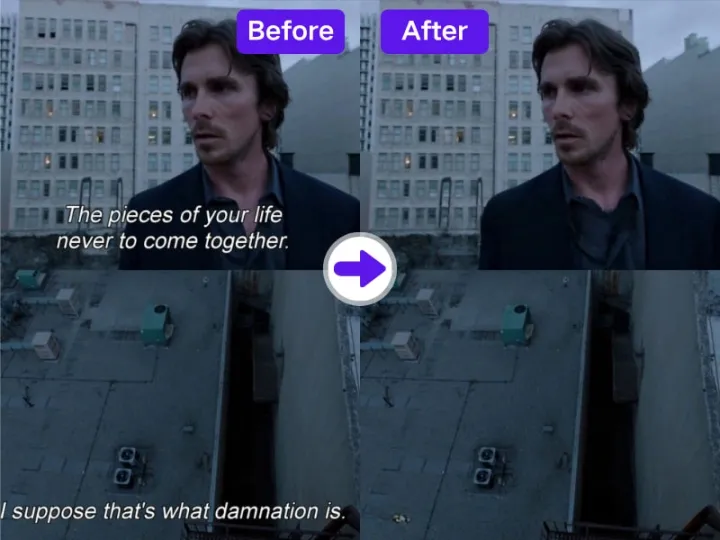
From simple toggles to advanced AI, the options to remove captions from video are more powerful than ever. If you only need to disable subtitles during playback, you don’t even need a caption remover. For closed captions, deleting subtitle files is enough. And for hard-coded, modern AI video caption remover software accelerates the process and does it even more accurately than ever with classic editing.
The trick to this is choosing the appropriate method for your project. Consider asking yourself: Do I simply need to turn captions off? Or do I need a clean end export with no text at all?
Once you know the answer, you’ll be able to pick the right caption cleaner for the job. AI-driven platforms like AdpexAI’s video caption remover represent the future of editing. They give you professional-level results in minutes, without requiring advanced software skills.
Ready to edit your videos with clarity? Try AdpexAI’s video caption remover today and give your content a professional, distraction-free look.
About the author





 Your One-Stop GenerationAI Agent / Tools Hub
We help you find, manage,
and grow with the ones who move people.
 Start Creating
