
AdpexAI vs EzRemove: AI Image Editor Background Editing 1v1 Review

Why AI Image Editing Matters in the New Media Era?
In the age of new media, visuals are no longer optional—they’re everything. Whether I’m working on blog covers, social media posts, or product images, I constantly need clean, professional-looking visuals that can be created fast. That’s exactly why I’ve shifted from traditional photo-editing software to using an AI image editor.
What I care about most now is speed, simplicity, and output quality. A good image editor AI should let me remove or change backgrounds in seconds, without complicated workflows or design skills. Recently, I tested two popular tools that focus on background editing: AdpexAI and EzRemove. Both position themselves as a free AI image editor, so I decided to do a hands-on 1v1 comparison to see which one actually delivers better value.
Feature Overview
Before diving into performance, here’s a quick look at what each image AI editor offers:
AdpexAI Image Editing Features
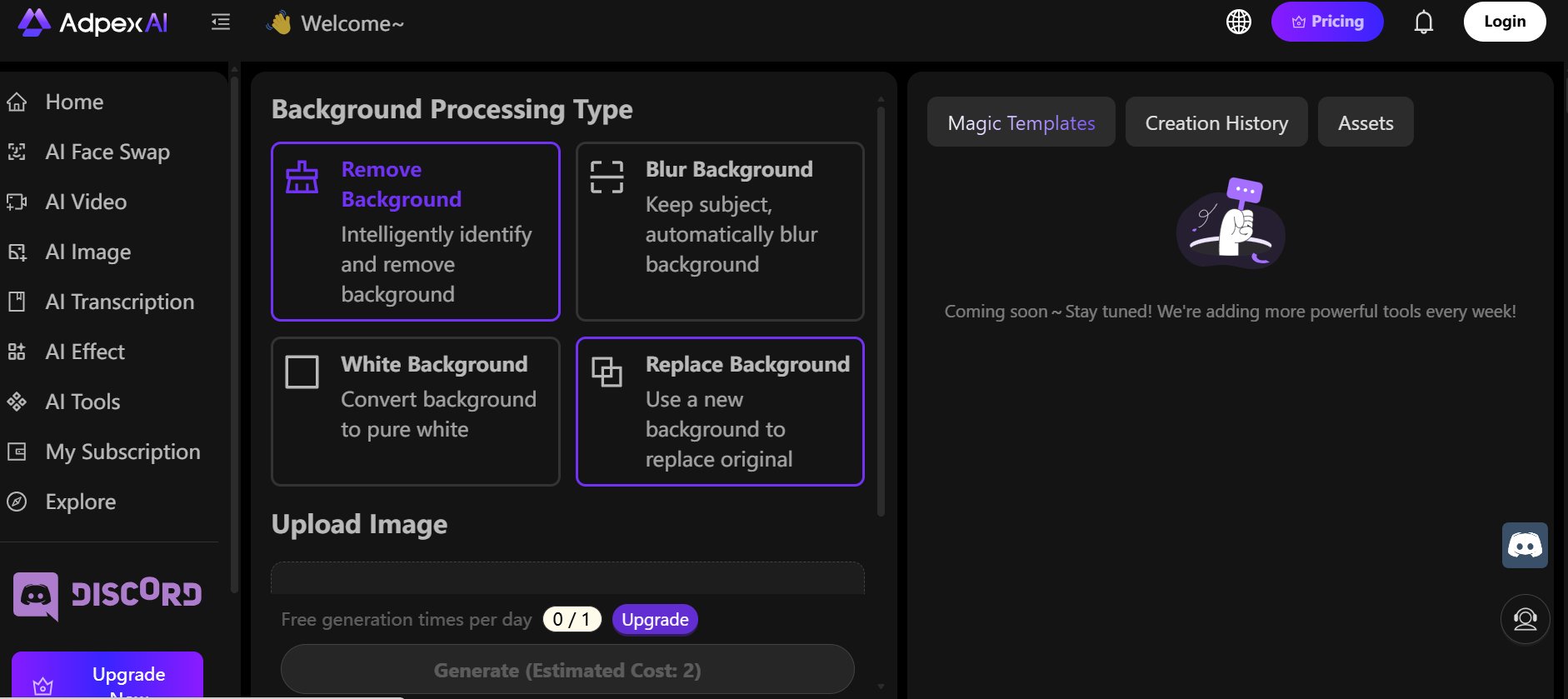
- Image Background Remover
- Image Background Changer
- Blur Background
- White Background
EzRemove Image Editing Features
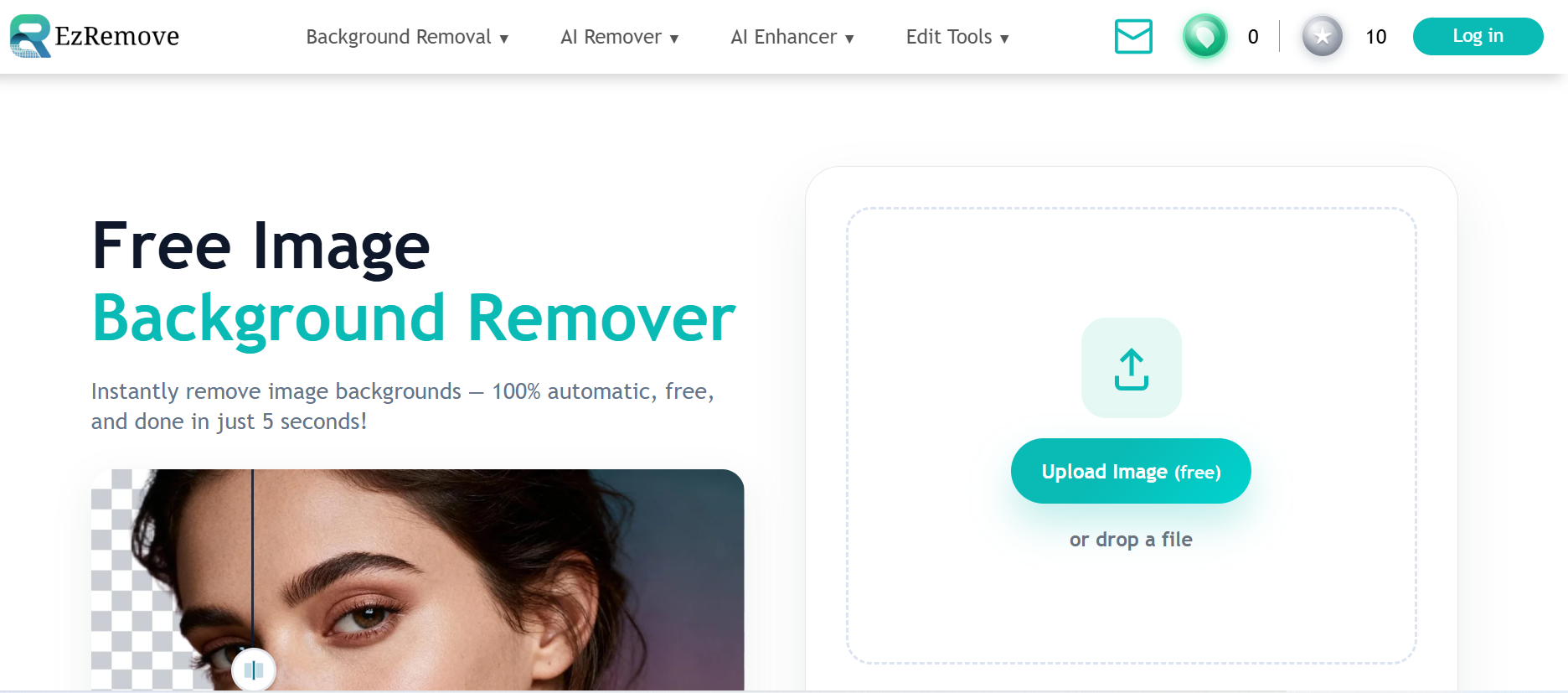
- Image Background Remover
- Image Background Changer
At first glance, AdpexAI clearly offers more background editing options, while EzRemove keeps things focused on the essentials.
1️⃣ Interface Simplicity
For me, the best AI image editor free tools are the ones that don’t slow me down.
- AdpexAI
The interface feels modern and well-structured. Each background feature has its own clear entry point, so I don’t have to dig through menus. Even as a first-time user, it’s easy to understand where to click and what to do next. - EzRemove
EzRemove takes minimalism seriously. You upload an image, and the tool does its job immediately. If you want a no-frills image editor AI that focuses only on background removal and replacement, this simplicity is appealing.
Verdict:
- More control and options → AdpexAI
- Ultra-minimal workflow → EzRemove
2️⃣ Output Quality
This is where a good image AI editor really proves its worth.
- AdpexAI
In my tests, AdpexAI handled complex edges—especially hair and clothing—more accurately. Features like blur background and white background produce cleaner, more polished results that feel ready for commercial or content use. - EzRemove
EzRemove works well with simple images, but when backgrounds or edges become more complex, the cutouts can look slightly rough and may need extra refinement.
Verdict:
For consistently clean and natural results, AdpexAI performs better overall.

3️⃣ Processing Speed
Both tools are fast, but they prioritize speed differently.
- AdpexAI is extremely quick, making it great for fast, bulk edits.
- EzRemove takes a bit longer to process, but the extra time pays off in better accuracy.
If speed is your top priority, AdpexAI wins here. If quality matters more, AdpexAI’s processing time is still very reasonable.
4️⃣ Manual Control (Prompt-Based Editing)
This is where the two tools clearly diverge.
- EzRemove
EzRemove includes an AI background editor that allows you to manually describe the background you want using text prompts. If you like having creative control and experimenting with different scene ideas, this feature adds flexibility that preset tools can’t always provide. - AdpexAI
AdpexAI currently relies on predefined background options and does not offer prompt-based manual control. While this limits creativity, it also ensures more consistent and predictable outputs.
Verdict:
- More creative freedom via prompts → EzRemove
- More stable, preset-driven results → AdpexAI
5️⃣ Value for Money (Free Experience)
Value for Money (Free & Paid Experience)
From an AI image editor free perspective, both AdpexAI and EzRemove allow users to test their core features before committing to a paid plan. However, the real difference becomes obvious once you look at their entry-level upgrades.
Both tools start their paid plans at $4.99, but the value you get is very different. With AdpexAI, $4.99 gives you 350 credits, while EzRemove only offers 70 credits at the same price point. In fact, across every pricing tier, AdpexAI consistently provides more credits for a lower cost, making it far more cost-efficient in real-world use.
Combined with its broader feature set, AdpexAI feels like a more complete free AI image editor that scales better as your editing needs grow. EzRemove, on the other hand, remains best suited for users who only need basic background removal and don’t plan to edit images frequently.

AdpexAI vs EzRemove: AI Image Editor Comparison Table
| Feature / Criteria | AdpexAI | EzRemove |
| Tool Type | All-in-one AI image editor | Lightweight image editor AI |
| Interface Simplicity | Clean, modern UI with clearly separated tools | Ultra-minimal interface, very straightforward |
| Ease of Use | Beginner-friendly, no learning curve | Extremely easy, upload and process instantly |
| Image Background Remover | Yes (accurate edge detection) | Yes |
| Image Background Changer | Yes | Yes |
| Blur Background | Yes | No |
| White Background | Yes | No |
| Output Quality | High-quality, natural edges, suitable for content & product images | Good for simple images, less accurate with complex edges |
| Processing Speed | Fast, slightly longer for higher precision | Very fast, optimized for speed |
| Manual Control | limited | Yes (AI background editor with text prompts) |
| Entry-Level Pricing | $4.99 for 350 credits | $4.99 for 70 credits |
| Credit Value | More credits at a lower cost across all plans | Fewer credits at the same price tiers |
| Best Use Case | Creators who need flexibility, quality, and better value | Users who want fast, basic background removal |
Final Verdict: Which AI Image Editor Is Better?
If you’re looking for a versatile AIimage editor with multiple background styles and more refined results, AdpexAI is the stronger choice. It feels like a full-featured image editor AIdesigned for creators who care about visual quality.On the other hand, if you want a fast, simple image AI editor for basic background removal, EzRemove does the job efficiently with minimal effort.
About the author




 Your One-Stop GenerationAI Agent / Tools Hub
We help you find, manage,
and grow with the ones who move people.
 Start Creating
