
Video Remove Watermark Online
What You Can Do with Video Remove Watermark Tool Online?

1. One-Click Logo and Watermark Removal
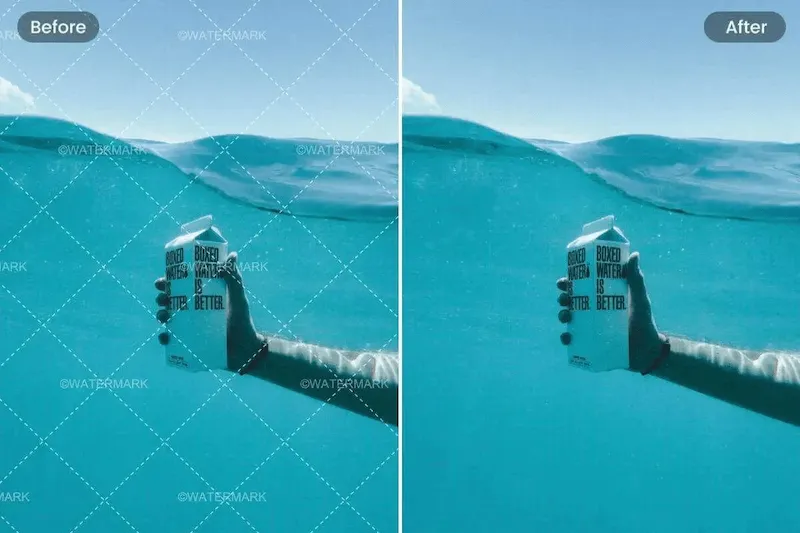
Whether it's a brand logo, TV station overlay, or creator mark, AdpexAI uses AI visual recognition to remove watermark from a video online quickly. Unlike manual editing, there’s no need to identify frame-by-frame—upload once, remove instantly.
2. Seamless Restoration with AI-Powered Inpainting
Most free tools remove watermarks from videos by blurring or cutting part of the screen. AdpexAI goes beyond that, using an AI inpainting system that reconstructs the erased area in a visually seamless way, ensuring quality is retained.

3. Unlock Creative and Commercial Reuse
Need to reuse stock footage or clean up old branding? With AdpexAI, you can repurpose licensed or internal media assets without starting from scratch. Agencies and corporate teams can save hours of re-editing while staying brand-consistent.
4. Unlimited Online Access—No Watermarks Added
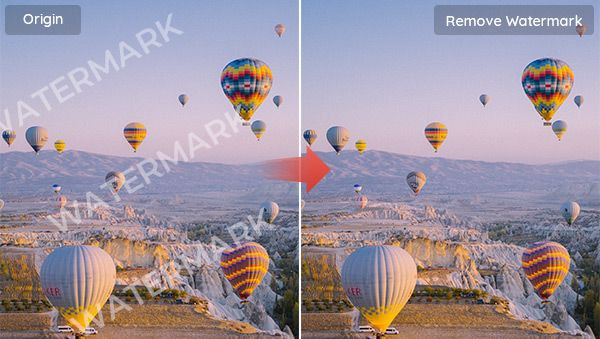
The video watermark remover online free tool supports unlimited video lengths and resolutions, with no output watermark, making it perfect for professionals looking to scale content reuse and editing without added branding or locked features.
Why Do You Need AdpexAI’s Video Remove Watermark Tool Online?
No Download Needed
With video remove watermark online, you can erase unwanted marks directly in your browser—no software required. Just upload and clean your video in seconds.
Format & Quality Support
The video remove watermark online tool works with MP4, MOV, AVI, and more. It supports HD and 4K, ensuring watermark removal without compromising quality.
Beginner-Friendly
Even without editing experience, anyone can use video remove watermark online thanks to its intuitive interface. Ideal for creators, trainers, and marketers.
How to Use AdpexAI’s Video Remove Watermark Tool Online?
Turning your image into another style using our image AI photo Face Swap tool is straightforward. Just follow these simple steps:
Open AdpexAI video remove watermark on your browser and then upload the video you want to edit and remove text, Logo, watermark or captions.
Select your ideal brush size, then choose the watermark you want to remove. You can reset and start the text, captions, and watermarks selection process afresh.
After selecting the watermark, click ‘Remove Now’ to process the video and erase the watermark. Proceed to download your new video without any watermark and texts.
FAQs for Video Remove Watermark Tool Online


 Your One-Stop GenerationAI Agent / Tools Hub
We help you find, manage,
and grow with the ones who move people.
 Start Creating
