Grabadora de voz gratuita en línea con transcripciones y resúmenes en tiempo real
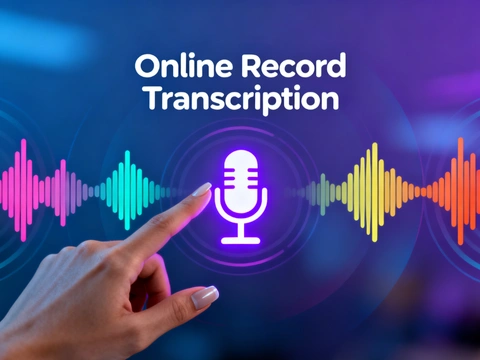
La grabadora de voz con tecnología de inteligencia artificial de AdpexAI le permite grabar audio en línea, identificar a los hablantes y convertir instantáneamente la voz en texto preciso. Más allá de la simple captura de audio, genera automáticamente resúmenes estructurados, mapas mentales e información clave en tiempo real. Ya sea que necesite una grabadora basada en un navegador para PC, una grabadora activada por voz para reuniones o una transcripción confiable de audio a texto, AdpexAI proporciona un flujo de trabajo rápido, seguro y profesional diseñado para creadores, estudiantes y equipos.
¿Qué puede hacer con AI Voice Recorder en línea?
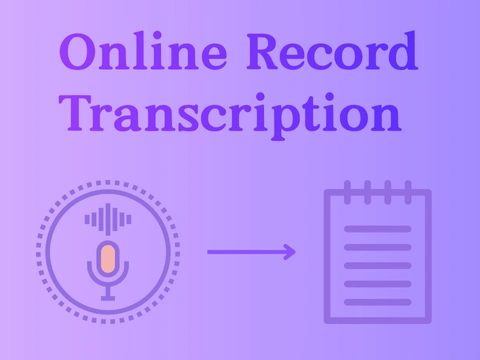
Conversión de voz a texto en tiempo real para reuniones y entrevistas
La grabadora de voz AI de AdpexAI captura las conversaciones en línea y las convierte instantáneamente en transcripciones limpias y estructuradas. Con una identificación precisa de los hablantes, es perfecta para reuniones, entrevistas, sesiones de investigación y toma de notas profesionales. En comparación con una grabadora de audio tradicional, ofrece una transcripción precisa del audio a texto, lo que permite a los equipos dejar de escribir manualmente y centrarse en la información.
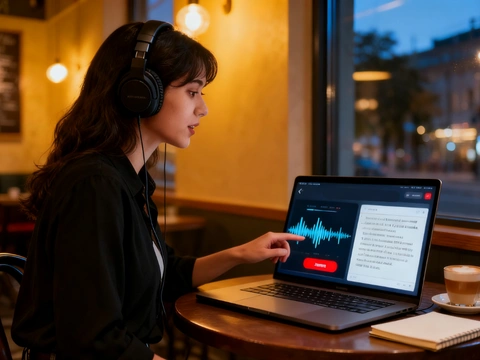
Mapas mentales automáticos y resúmenes inteligentes para el aprendizaje y los equipos
Más allá de la captura de audio básica, la grabadora de voz en línea de AdpexAI genera resúmenes, puntos clave y mapas mentales visuales en tiempo real. Optimiza el aprendizaje y la colaboración para estudiantes, educadores y equipos de productos. Ya sea que esté grabando conferencias, sesiones de intercambio de ideas o talleres, el sistema de inteligencia artificial transforma las grabaciones largas en conocimiento digerible y práctico.

Grabación en línea multidispositivo para creadores y trabajadores remotos
Como grabadora de voz gratuita en línea basada en navegador, AdpexAI funciona en Windows, Mac y dispositivos móviles sin instalar una aplicación de grabadora de voz. Los creadores, los trabajadores remotos y los equipos de soporte pueden grabar podcasts, demostraciones y llamadas directamente desde la computadora y capturar el audio de las fuentes de la computadora con una claridad constante, ideal para cualquiera que necesite una grabadora de voz confiable para PC.
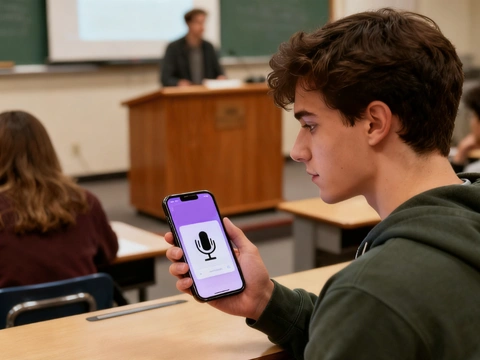
Activación inteligente por voz y detección de altavoces
Diseñada como una grabadora de voz AI de nivel profesional, admite la grabación activada por voz, el recorte automático del silencio y la detección de varios altavoces. Los profesionales legales, médicos y de servicio al cliente pueden confiar en ella para obtener una documentación precisa. Tras la grabación, la herramienta produce al instante una salida de grabadora de voz que se convierte en texto, resúmenes estructurados y datos detallados listos para ser presentados o archivados.
¿Por qué necesita la grabadora de voz en línea de AdpexAI?
Resultados unificados: transcripción, mapa mental, resumen procesable
A diferencia de muchas herramientas que se detienen en la transcripción, AdpexAI convierte el discurso grabado en una transcripción con capacidad de búsqueda, un mapa mental visual y un breve resumen de IA en una sola pasada, lo que ahorra a los editores e investigadores horas de trabajo manual. La competencia ofrece potentes herramientas de transcripción y resúmenes independientes, pero la cartera de AdpexAI ofrece la visualización y el resumen de transcripciones de voz y audio a transcripción en un solo flujo de trabajo de navegador.
Recorte silencioso inteligente y ediciones fluidas para una producción más rápida
AdpexAI incluye detección automática de silencio y recorte con un solo clic para que los podcasts, las entrevistas y las grabaciones de conferencias estén listos para su reutilización inmediata, sin necesidad de borrar el audio manualmente. Esto iguala y amplía la comodidad de edición que ofrecen los editores especializados (el flujo de trabajo de «eliminar el silencio y acortar los huecos» de Descript), a la vez que lo conserva todo en una grabadora de voz online ligera para PC y dispositivos móviles.
Reconocimiento centrado en el altavoz con controles que priorizan la privacidad
Diseñada para reuniones con varios oradores y notas confidenciales, la grabadora se especializa en la diarización de los oradores (quién dijo qué) y, al mismo tiempo, ofrece estrictos controles de datos y cifrado para que las grabaciones no se reutilicen para el entrenamiento de modelos sin permiso. Esto contrasta con las plataformas que utilizan amplias canalizaciones de datos; los principales proveedores documentan las prácticas de diarización y privacidad, lo que sustenta las decisiones de diseño de AdpexAI para una detección y transcripción de hablantes seguras y confiables.
¿Cómo utilizar la grabadora de voz de AdpexAI en línea gratis?
Inicie la grabadora de voz AdpexAI en línea de forma gratuita en su navegador, sin necesidad de instalación ni de una aplicación de grabación de audio. Elija la fuente de grabación de sonido de su micrófono o computadora si desea capturar el audio de la computadora, las reuniones o la reproducción del sistema.
Haz clic en Iniciar para grabar. La grabadora de voz AI detectará automáticamente los altavoces, recortará los espacios silenciosos y funcionará como una grabadora activada por voz para obtener un audio más limpio. También puede capturar voces, demostraciones de pantalla o presentaciones como si fuera una grabadora de pantalla con audio.
Deja de grabar para recibir al instante la transcripción del audio a texto, un mapa mental visual y un resumen estructurado de la grabación. Exporta o edita tu grabadora de voz para convertir los resultados en texto directamente en cualquier dispositivo, ideal como grabadora de voz para usuarios de PC, Windows o dispositivos móviles.
Preguntas frecuentes sobre la grabadora de voz en línea de AdpexAI


 Tu Hub Todo en Uno de GeneraciónAgentes AI / Herramientas
Te ayudamos a encontrar,
gestionar y crecer con quienes mueven a la gente.
 Empezar a Crear
