Mejora para YouTube
¿Qué puede hacer con Enhancer para Youtube?

Mejora tus vídeos de YouTube a 4K de forma gratuita
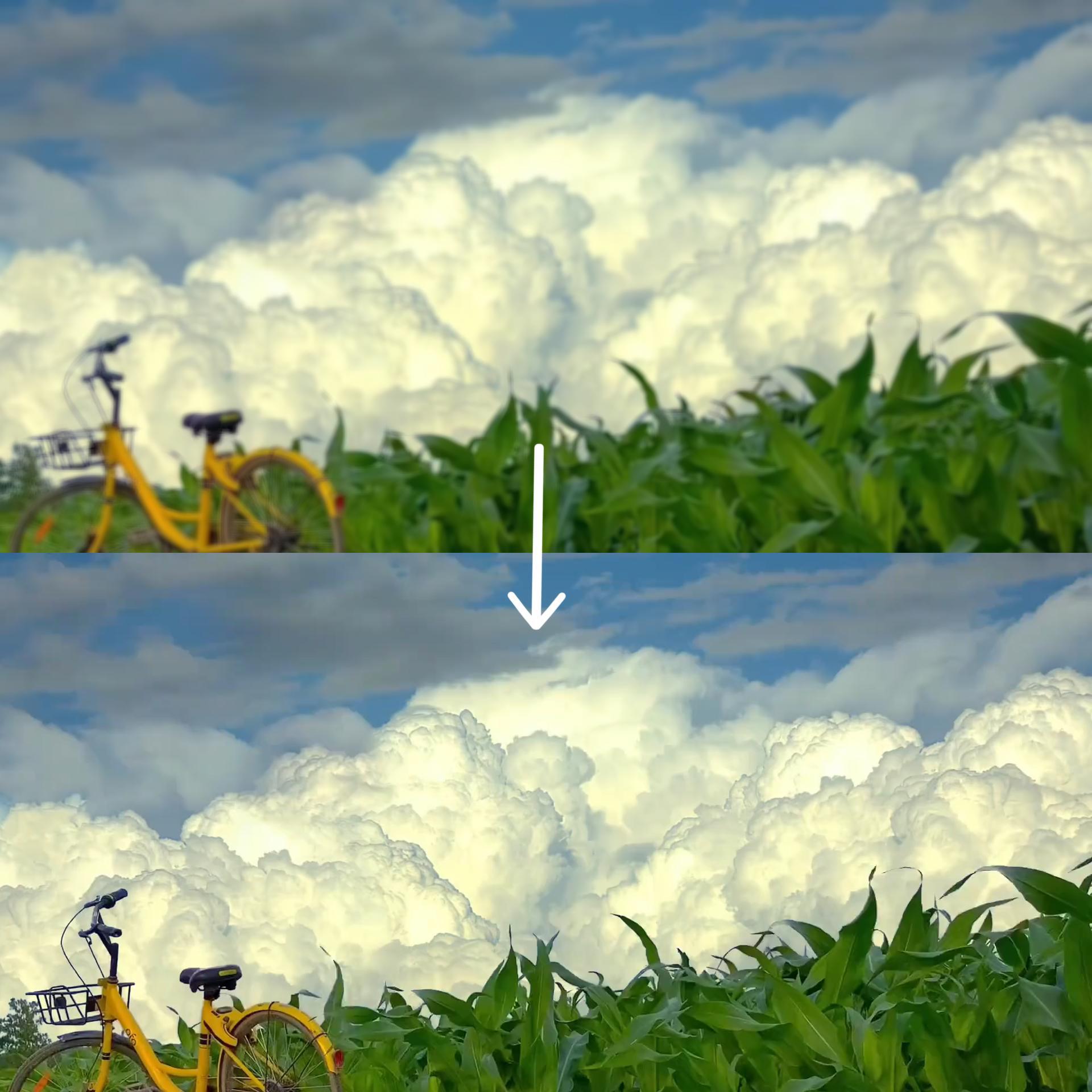
Haz que tu contenido de YouTube destaque con Enhancer for Youtube, la mejor herramienta gratuita para mejorar vídeos en 4K en línea. Transforma al instante vídeos de 720p o 1080p en una resolución 4K ultranítida, perfecta para los creadores que quieren ofrecer una calidad superior sin necesidad de un equipo caro. Ya se trate de vlogs, tutoriales o clips de videojuegos, nuestro potenciador de 4K aumenta la claridad, refina los detalles y hace que tus vídeos parezcan producidos profesionalmente. ¿Lo mejor de todo? ¡Es completamente gratis y funciona directamente en tu navegador!

Corrija videos borrosos o granulados de YouTube al instante
¿Estás cansado de que las imágenes de baja calidad arruinen el atractivo de tu canal de YouTube? Enhancer para Youtube actúa como una potente solución gratuita de mejora de vídeo en 4K en línea, que corrige automáticamente el desenfoque, reduce el ruido y mejora la nitidez de cada fotograma. Sube tu vídeo y deja que nuestro potenciador de 4K haga su magia, sin necesidad de una edición compleja. Ideal para restaurar archivos subidos anteriormente o mejorar contenido nuevo para que cumpla con los estándares más exigentes de YouTube.

Mejore la calidad del vídeo sin marcas de agua
A diferencia de otras herramientas que dejan molestas marcas de agua, Enhancer para Youtube ofrece mejoras 4K impecables y sin marcas de agua. Este servicio gratuito de mejora de vídeo en 4K en línea es perfecto para los creadores serios que exigen resultados profesionales. Ilumina las escenas oscuras, mejora la precisión del color y mejora la imagen a 4K sin problemas, todo ello sin dejar de mantener intacta tu marca.

Optimiza los vídeos para el algoritmo de YouTube
YouTube prefiere el contenido de alta resolución, y Enhancer for Youtube te ayuda a aprovechar esto. Usa nuestro potenciador de 4K para actualizar tus vídeos a 4K, lo que aumenta las probabilidades de que se recomienden. Tanto si eres un creador principiante como si eres un creador experimentado, esta herramienta gratuita en línea para mejorar tus vídeos en 4K garantiza que tu contenido siempre tenga el mejor aspecto, lo que te ayuda a aumentar tu audiencia y participación.
¿Por qué necesitas el potenciador de AdpexAI para YouTube?
Mejora tu contenido de YouTube con calidad 4K
¿Quieres que tus vídeos destaquen en YouTube? El Enhancer para YouTube de AdpexAI mejora instantáneamente tus imágenes a una impresionante calidad de mejora de 4K, haciendo que cada detalle sea más nítido y vibrante. Ya seas un vloguero, un jugador o un educador, nuestra herramienta transforma los vídeos borrosos de 720p/1080p en obras maestras en ultra HD, perfectas para mantener la atención de los espectadores y aumentar el tiempo de visualización. Lo mejor de todo es que está optimizada específicamente para Enhancer para YouTube, lo que garantiza que tu contenido cumple con los estándares de la plataforma y, al mismo tiempo, tiene un aspecto impecable y profesional.
Solucione automáticamente los problemas comunes de los vídeos de YouTube
Las imágenes borrosas, la iluminación deficiente o el trabajo inestable de la cámara pueden arruinar el atractivo de tu canal de YouTube. Con el Enhancer para YouTube de AdpexAI, nuestra IA 4K Enhancer corrige automáticamente estos problemas: reduce el ruido y la pixelación, ilumina las escenas oscuras o subexpuestas, estabiliza los clips inestables y mejora los colores para lograr un aspecto más dinámico. Esto garantiza que tus vídeos tengan un aspecto nítido y profesional, lo que te ayuda a atraer más suscriptores y a mantener un canal de alta calidad.
Haz crecer tu canal más rápido con vídeos optimizados
El algoritmo de YouTube favorece el contenido de alta resolución y visualmente atractivo, y el Enhancer para YouTube de AdpexAI te da una ventaja. Con nuestro potenciador de 4K, puedes aumentar la retención de los espectadores con imágenes más nítidas, mejorar la tasa de clics con mejores miniaturas (al mejorar los fotogramas clave), destacar en los resultados de búsqueda con una calidad de vídeo superior, reutilizar vídeos antiguos remasterizándolos en 4K. Diseñada específicamente como un potenciador para YouTube, esta herramienta te ayuda a hacer crecer tu canal sin esfuerzo y a ahorrar tiempo en las ediciones manuales.
¿Cómo usar el potenciador de AdpexAI para Youtube?
Selecciona y sube un archivo de vídeo de menos de 10 MB.
Elige la resolución a la que quieras mejorar: 1080p o una impresionante calidad 4K.
Haz clic en Generar para mejorar el vídeo. Una vez hecho esto, ¡descárgalo o compártelo con un solo toque!
Preguntas frecuentes sobre Enhancer para YouTube


 Tu Hub Todo en Uno de GeneraciónAgentes AI / Herramientas
Te ayudamos a encontrar,
gestionar y crecer con quienes mueven a la gente.
 Empezar a Crear
