Kostenloses Online-Sprachrekorder mit Transkription und Zusammenfassungen in Echtzeit
Mit dem KI-gestützten Sprachrekorder von ADPexAI können Sie Audio online aufnehmen, Sprecher identifizieren und Sprache sofort in genauen Text umwandeln. Neben der einfachen Audioerfassung generiert es automatisch strukturierte Zusammenfassungen, Mindmaps und wichtige Erkenntnisse in Echtzeit. Ganz gleich, ob Sie einen browserbasierten Rekorder für den PC, einen sprachgesteuerten Rekorder für Besprechungen oder eine zuverlässige Audio-Text-Transkription benötigen, ADPexAI bietet einen schnellen, sicheren und professionellen Workflow, der auf Ersteller, Schüler und Teams zugeschnitten ist.
Was können Sie mit AI Voice Recorder Online machen?
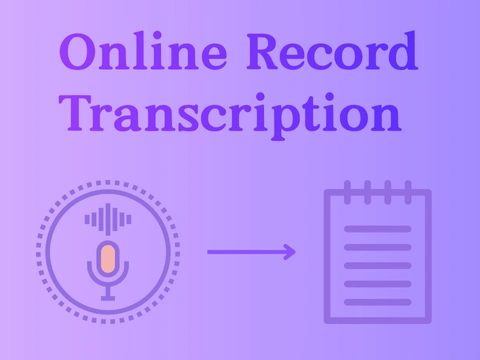
Sprache-zu-Text in Echtzeit für Besprechungen und Interviews
Die Sprachrekorder-KI von AdpexAI erfasst Online-Konversationen und wandelt sie sofort in saubere, strukturierte Transkripte um. Mit der präzisen Sprecheridentifikation eignet es sich perfekt für Besprechungen, Interviews, Recherchesitzungen und professionelle Notizen. Im Vergleich zu einem herkömmlichen Audiorekorder ermöglicht er eine präzise Übertragung von Audio in Text, sodass Teams das manuelle Tippen überspringen und sich auf Erkenntnisse konzentrieren können.
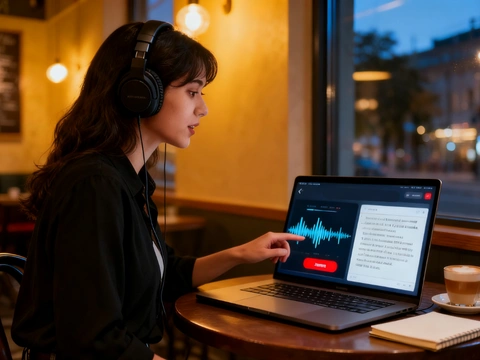
Automatische Mindmaps und intelligente Zusammenfassungen für Lernen und Teams
Neben der grundlegenden Audioaufnahme generiert der Online-Sprachrekorder von AdpexAI Zusammenfassungen, wichtige Punkte und visuelle Mindmaps in Echtzeit. Es optimiert das Lernen und die Zusammenarbeit für Schüler, Pädagogen und Produktteams. Egal, ob Sie Vorlesungen, Brainstorming-Sitzungen oder Workshops aufzeichnen, das KI-System wandelt lange Aufzeichnungen in verdauliches, umsetzbares Wissen um.

Online-Aufzeichnung auf mehreren Geräten für Kreative und Telearbeiter
Als browserbasiertes Diktiergerät, das kostenlos online verfügbar ist, funktioniert AdpexAI unter Windows, Mac und Mobilgeräten, ohne dass eine Diktiergeräte-App installiert werden muss. Entwickler, Mitarbeiter im Homeoffice und Support-Teams können Podcasts, Demos und Anrufe direkt vom Computer aus aufnehmen und Audiodaten aus Computerquellen mit gleichbleibender Klarheit aufnehmen — ideal für alle, die einen zuverlässigen Sprachrekorder für den PC benötigen.
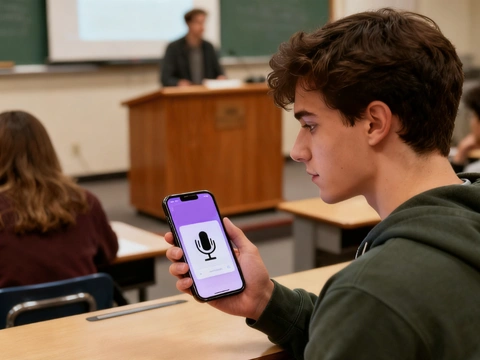
Intelligente Sprachaktivierung und Lautsprechererkennung
Es wurde als professioneller AI-Sprachrekorder entwickelt und unterstützt sprachaktivierte Aufnahmen, automatische Stummschaltung und Erkennung mehrerer Lautsprecher. Juristen, Mediziner und Kundenberater können sich darauf verlassen, dass sie eine genaue Dokumentation liefert. Nach der Aufnahme erstellt das Tool sofort eine Sprachausgabe in Text, strukturierte Zusammenfassungen und detaillierte Einblicke, die zur Berichterstattung oder Archivierung bereit sind.
Warum benötigen Sie den Voice Recorder von AdpexAI Online?
Einheitliche Ergebnisse: Transkript + Mindmap + Umsetzbare Zusammenfassung
Im Gegensatz zu vielen Tools, die bei der Transkription aufhören, wandelt AdpexAI aufgezeichnete Sprache in einem Durchgang in ein durchsuchbares Protokoll, eine visuelle Mindmap und eine kurze KI-Zusammenfassung um — was Redakteuren und Forschern stundenlange manuelle Arbeit erspart. Die Konkurrenz bietet leistungsstarke Transkriptions- und eigenständige Zusammenfassungstools an, aber die Pipeline von AdpexAI liefert Sprachtranskript und Audio bis hin zur Visualisierung und Zusammenfassung von Transkripten in einem einzigen Browser-Workflow.
Intelligentes Stummschalten und reibungslose Bearbeitungen für eine schnellere Produktion
ADPEXAI verfügt über eine automatische Stilleerkennung und das Trimmen mit einem Klick, sodass Podcasts, Interviews und Vorlesungsaufzeichnungen sofort wiederverwendet werden können — kein manuelles Audio-Scrubbing erforderlich. Dies entspricht und erweitert den Bearbeitungskomfort, den Fachredakteure bieten (Descripts Arbeitsablauf „Stille entfernen/Lücken verkürzen“), während alles in einem leichten Online-Diktiergerät für PC und Handy gespeichert wird.
Sprecherorientierte Erkennung mit Privacy-First-Steuerelementen
Der Rekorder wurde für Besprechungen mit mehreren Rednern und vertrauliche Notizen entwickelt und ist auf die Tagebuchaufzeichnung von Sprechern (wer hat was gesagt) spezialisiert. Gleichzeitig bietet er strenge Datenkontrollen und Verschlüsselung, sodass Aufzeichnungen nicht ohne Genehmigung für das Modeltraining wiederverwendet werden. Dies steht im Gegensatz zu Plattformen, die breite Datenleitungen verwenden. Führende Anbieter dokumentieren die Tagebuchaufzeichnung und die Datenschutzpraktiken, die bei den Designentscheidungen von AdpexAI für die sichere und zuverlässige Erkennung und Transkription von Sprechern berücksichtigt werden.
Wie verwende ich den Voice Recorder von AdpexAI kostenlos online?
Starten Sie den ADPEXAI Voice Recorder kostenlos online in Ihrem Browser — keine Installation oder Audiorecorder-App erforderlich. Wählen Sie Ihre Mikrofon- oder Computer-Soundrekorder-Quelle, wenn Sie Audio vom Computer, von Besprechungen oder der Systemwiedergabe aufnehmen möchten.
Klicken Sie auf Start, um aufzunehmen. Der AI-Sprachrekorder erkennt Lautsprecher automatisch, schneidet stille Lücken ab und funktioniert wie ein sprachaktivierter Rekorder für saubereren Klang. Sie können auch Sprache, Bildschirmdemos oder Präsentationen aufnehmen, genau wie ein Bildschirmrekorder mit Audio.
Beenden Sie die Aufnahme, um sofort eine Transkription von Audio in Text, eine visuelle Mindmap und eine strukturierte Zusammenfassung der Aufnahme zu erhalten. Exportieren oder bearbeiten Sie Ihr Diktiergerät, um Textergebnisse direkt auf einem beliebigen Gerät zu erhalten — ideal als Diktiergerät für PC-, Windows- oder mobile Benutzer.
Häufig gestellte Fragen zum Voice Recorder Online von AdpexAI


 Ihr All-in-One Generierungs-HubKI-Agent / Tools
Wir helfen Ihnen, mit denen zu finden,
zu verwalten und zu wachsen, die Menschen bewegen.
 Jetzt Erstellen
